Skip to Content
  • Home
  • Projects
    • JellyBOX 3D Printer Kit
    • BottleBoat and Floor Racers
  • Shop
    • JellyBOX 3D Printer
    • JellySTEM 3D Printed Micro:bit Projects
  • Partners
  • 0
  • 0
  • Contact Us
  • 0
  • 0
    • Home
    • Projects
      • JellyBOX 3D Printer Kit
      • BottleBoat and Floor Racers
    • Shop
      • JellyBOX 3D Printer
      • JellySTEM 3D Printed Micro:bit Projects
    • Partners
  • Contact Us

JellySTEM BottleBoat and Floor Racers
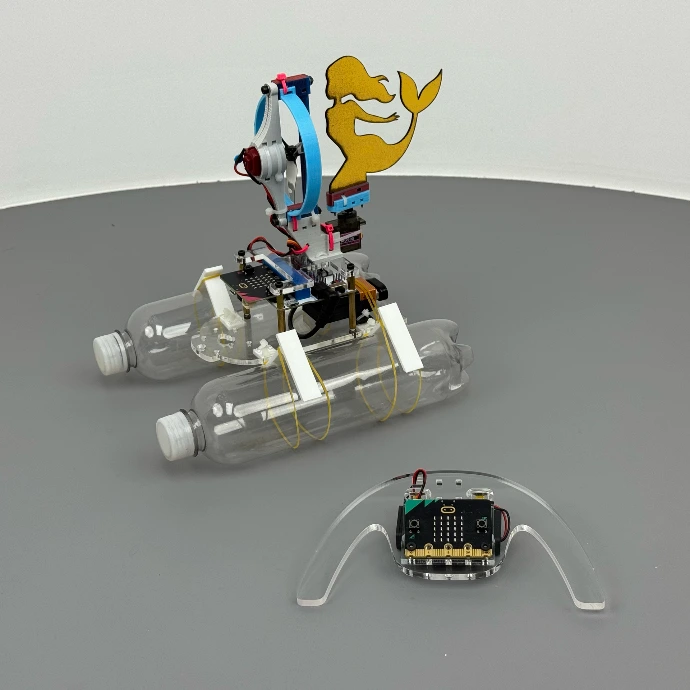
The BottleBoat and Floor Racers kits let students build remotely controlled vehicles that move on water or on the floor using mostly the same components, electronics, and control software, showing that the basic principles of motion are similar in different environments. 

BottleBoat & Floor Racers Combo Kit is a 2-in-1 JellySTEM kit that lets students build both a water-going BottleBoat and a floor-running Racer using the same micro:bit electronics, shared 3D-printed parts, and MakeCode programs.

The curriculum offers much more than assembly instructions.

It includes Tinkercad 3D models and activities where students design and 3D-print extra parts to add new functions to their boats and racers.

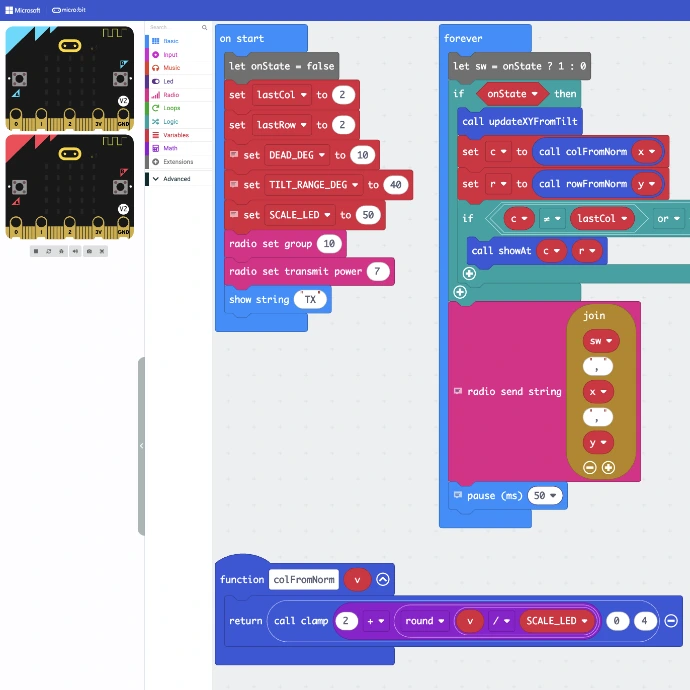
Students follow step-by-step guides to create their own remote-control programs in MakeCode for micro:bit.
Older students also learn how to use AI to help write and improve their micro:bit programs.

JellySTEM BottleBoat


The BottleBoat kit includes two steering variants: a classic rectangular rudder and vector steering using a motor mounted on a servo. 

Students first build and test the boat with the regular rudder. 

Then they can design and 3D-print their own rudders in fun shapes such as a mermaid, dolphin, or arrow, and compare how the rudder shape changes the steering.

Activities

The curriculum includes several activities that ask students to 3D-print extra parts and modify the original BottleBoat.

 Design Your Own Rudder

Students test the BottleBoat with the standard rudder, then use Tinkercad to design and 3D-print their own rudder shapes and compare how each design changes the way the boat turns and moves.

Propeller Duct Experiment

Students 3D-print the jet duct for the propeller from the provided Tinkercad model, install it on the same BottleBoat, and compare how the boat’s speed, steering, and towing ability change compared to the original open-propeller version.

Fins and Bottles Experiment

Students 3D-print fins in different sizes and shapes, combine them with various bottle sizes and bottle shapes, and test the BottleBoat on the water to see how each combination changes speed, stability, and how straight the boat moves.

Archimedes Weight Experiment

Students use Archimedes’ principle to determine the weight of the BottleBoat without a scale, by measuring how much water it displaces and how much extra load it can safely carry.

BottleBoat Race Challenge

Students tune their BottleBoats (rudders, fins, duct, load), then race them over a fixed distance or around simple markers, recording times and comparing which design choices give the best speed, control, and consistency.


We will add new BottleBoat activities over time and welcome ideas from students and teachers, so the project can grow from real classroom experience.

JetFlow


JetFlow is a FREE add-on extension where students 3D print a duct and install it around the existing propeller to create a ducted air-drive system. 
They observe how the duct changes airflow and vehicle behavior, then build a simple U-tube pressure gauge to measure air pressure and test how design changes affect performance. 

Students compare JetFlow with the standard SeaCreatures setup by measuring speed, maneuverability, and towing strength (for example, towing a water-filled bottle).

Floor Racers


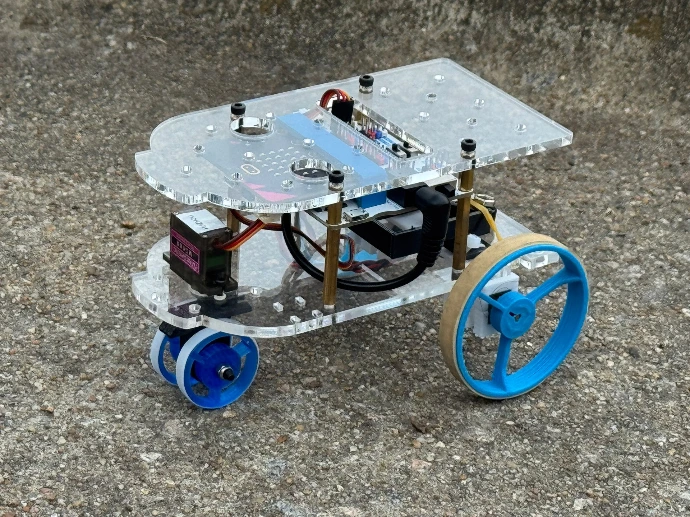
The JellySTEM Floor Racers kit lets students build and program a small micro:bit-controlled vehicle that drives on the floor. 

It is a complete stand-alone project: all mechanical parts, motors, servo, and mounting hardware for the vehicle are included. 

Students add their own micro:bit and follow the step-by-step activities to turn it into a remote-controlled car. 

They program both parts of the system in MakeCode: the receiver on the car and the transmitter in the handheld remote.


Micro:Bit Programming


The micro:bit Programming is a core part of AirDrive Racers. 

The control software is exactly the same for water and floor vehicles, on both sides — the transmitter (remote) and the receiver (vehicle). 

Students start by using the provided programs in MakeCode, then write and test their own versions and compare them with the reference code included with AirDrive Racers. 

The reference code was fully generated using AI-assisted coding, based on clear instructions defined by the author of the JellySTEM concept, Ladi Goc.


Ready to Get Started


Click the button and fill in a short form (SeaCreatures quantity, optional Floor Riders add-ons, class license, and ZIP code for shipping). No call is required. You will receive a clear price breakdown that you can share with your school or district.


Get an Estimate

Copyright © IMADE3D LLC.  2026
Powered by Odoo - The #1 Open Source eCommerce